Feature · Planning Mode
Prepare what your family will need, in your own time
An end of life planning workspace for UK families. Record your wishes, gather the documents, and name the people who will need to know.
Planning Mode is an AfterLoss workspace for getting your affairs in order before a death. It records the wills and wishes, gathers the documents, lists the bank and pension and policy numbers, and names the people who will need to know. When the time comes, one nominated person inherits the case and the family walks into something already organised, instead of starting from a blank page.
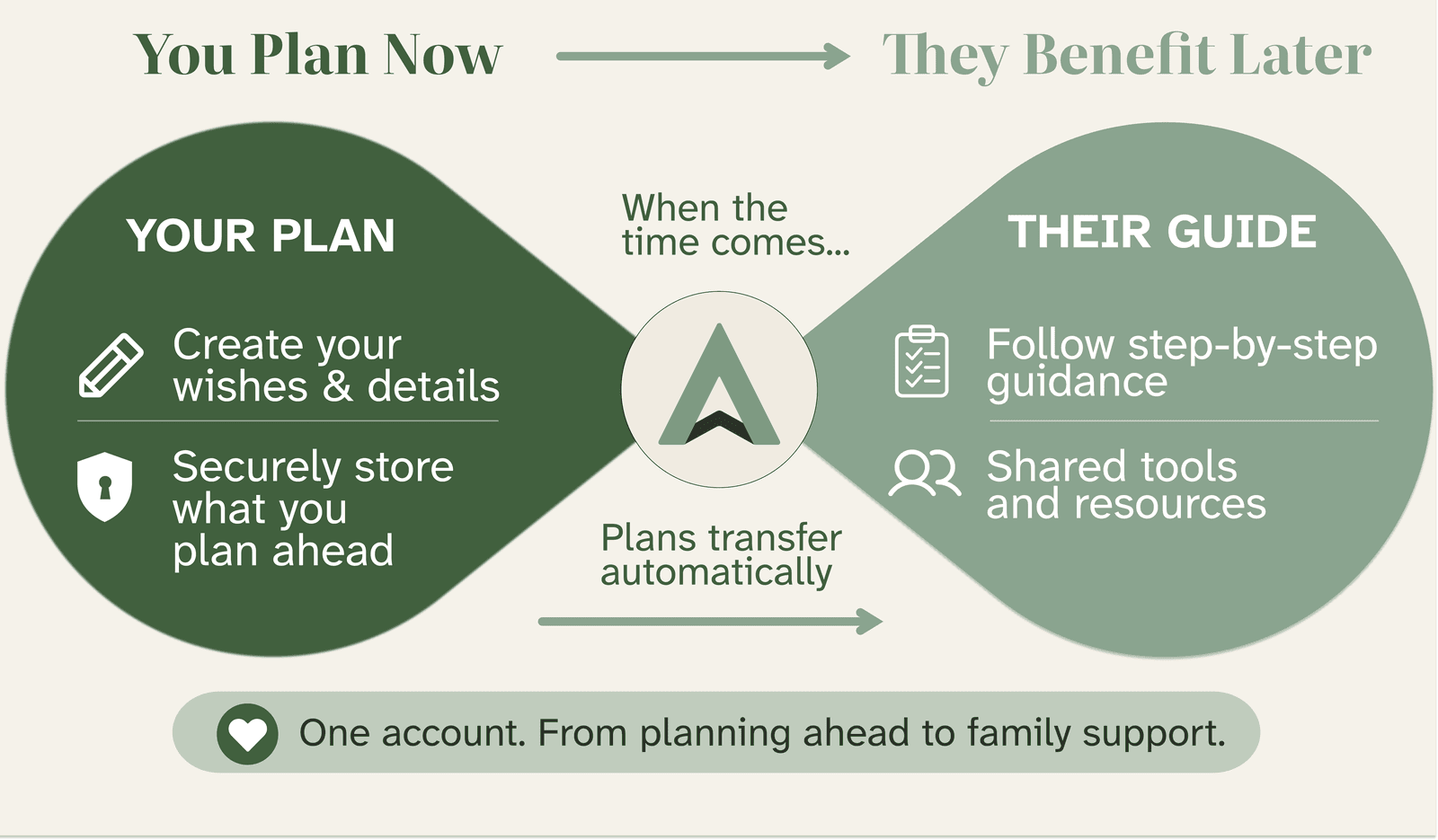
Two things, one workspace. Build the case in your own time, and nominate the one person who inherits it when the time comes.
Start a case →Three reasons families come to Planning Mode
Most planning tools assume you are ready to think about funeral arrangements, registrar forms, and statutory deadlines. You may not be. Three situations bring most families to Planning Mode, and the workspace adapts to each one.
You are getting your own affairs in order.
You know how much work falls on a family after a death. Where the will is, who the solicitor is, which bank holds the savings, what the password is for the email account. You would rather your own family did not spend their first weeks of grief looking through filing cabinets for things you could have written down. You want to put a few sensible things in place, calmly, when you have an hour to spare.
A family member is nearing the end of their life.
You are caring for a parent, a partner, a sibling, or a friend who has had a diagnosis or is in their last months. The clinical care is one job. The administrative work that will follow is another, and right now there is a small window to gather the information together while the person can still tell you where things are.
You have just had a difficult conversation.
A diagnosis. A scare. A friend's bereavement that made the planning gap feel obvious. You want to start, you do not yet know where to start, and you do not want a lecture. Planning Mode meets you where you are: open the workspace, fill in what you can today, come back when you have time.
In each case, the work is the same set of documents and named people. The pace is yours.
Our guide on end-of-life planning walks through the same conversations in long form, with prompts for the trickier questions.
What Planning Mode gives you
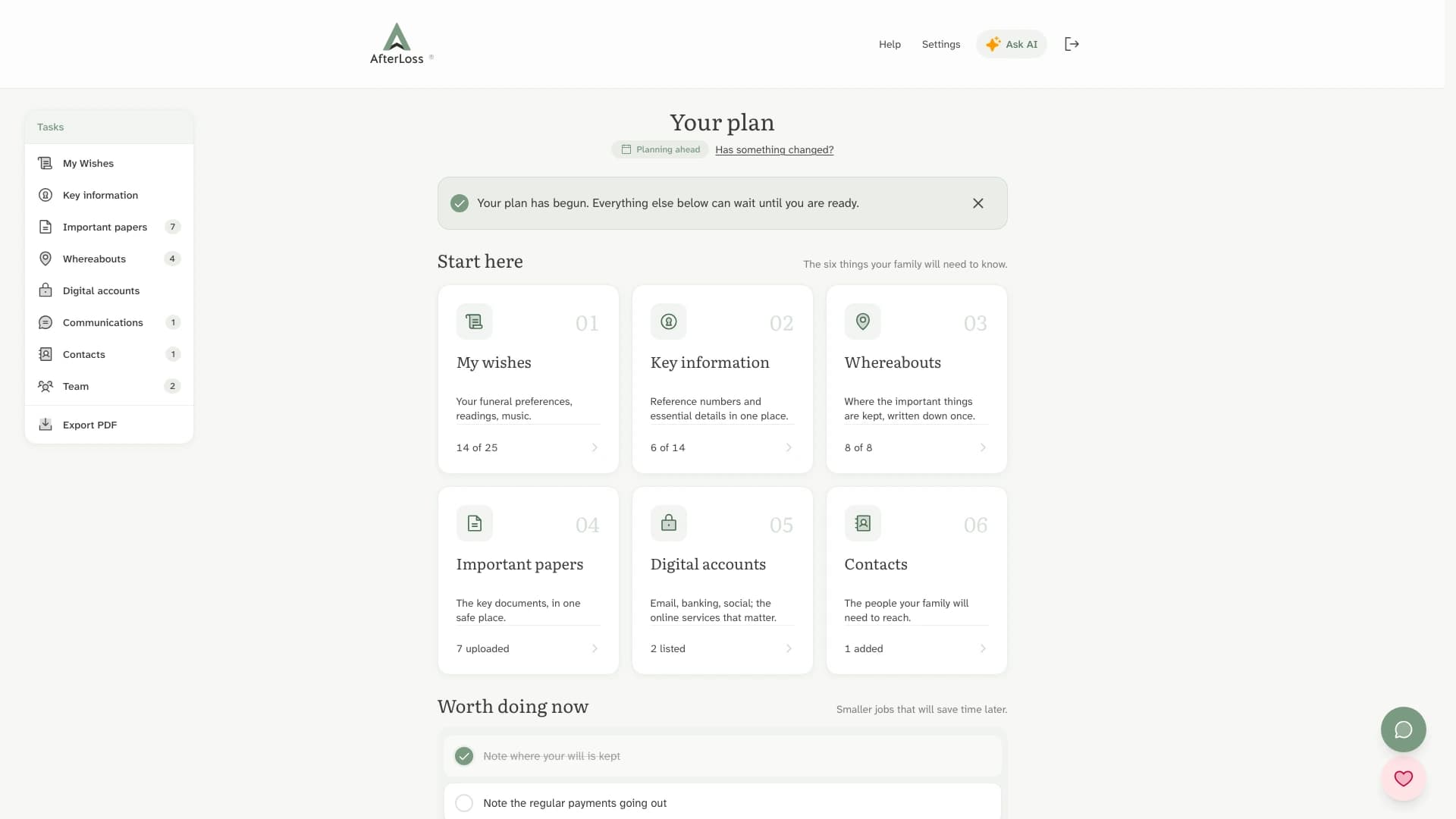
Planning Mode is the same AfterLoss workspace as bereavement mode, with the urgency stripped out. Statutory deadlines and death paperwork stay hidden until they apply. You work through Key Information, Documents, Whereabouts, Contacts, and Funeral Wishes at your own pace, in any order, leaving as much or as little for later as you want. Nothing on the page presses you to do anything today.
If you have read the estate planning checklist guide, Planning Mode is the place to put what the checklist says to prepare. It is a structured workspace for the items the checklist describes: where the will lives, the LPA reference numbers, the bank and pension and policy details, the funeral wishes, and the names of the people who should know about each one.
The five places everything lives
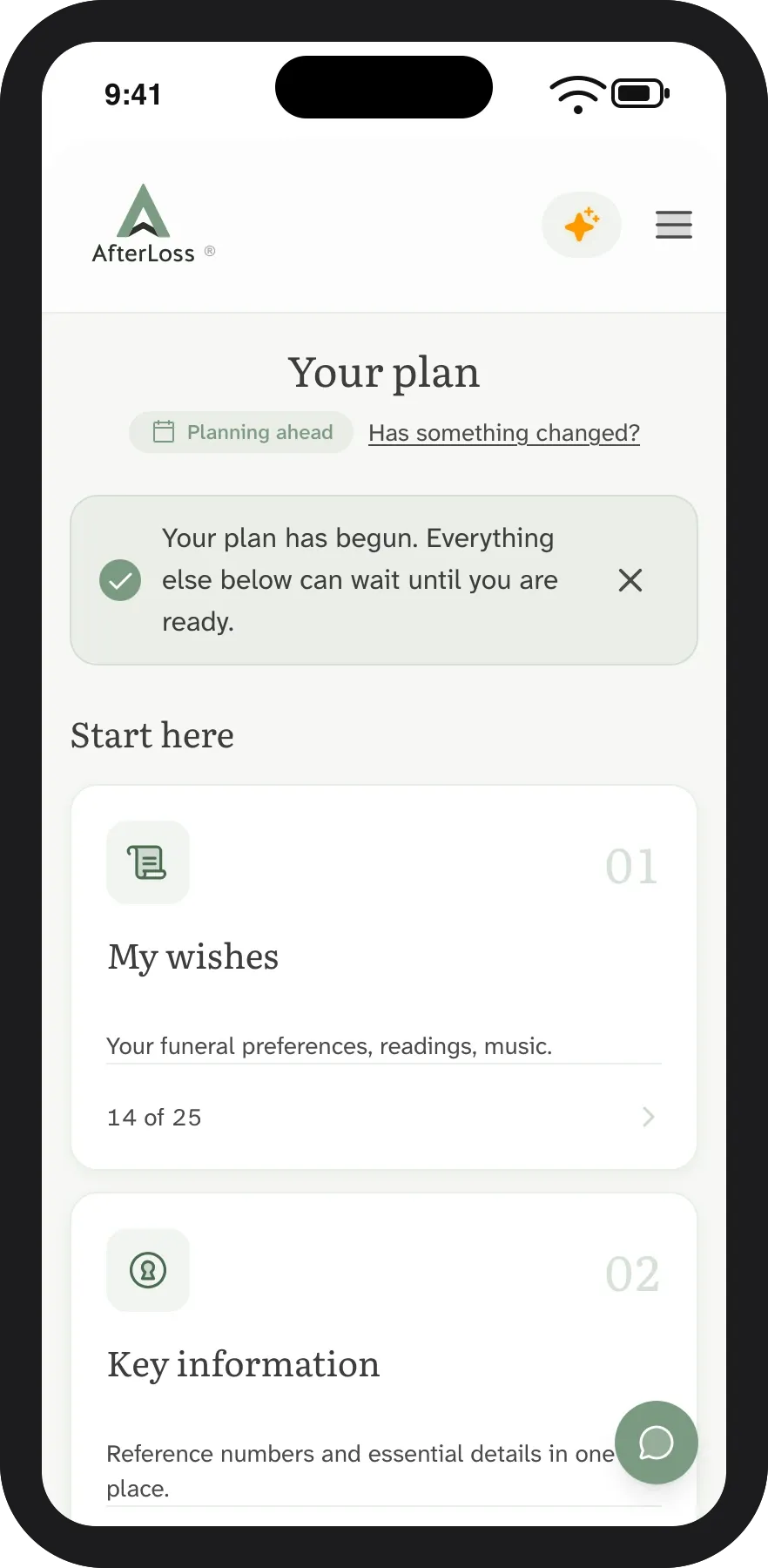
Inside a Planning Mode case there are five connected places for the work the estate planning checklist asks you to gather. They behave the same in Planning Mode as they do after a death; the only difference is the urgency and the deadlines. You can fill them in any order. None of them needs to be finished before the others can be useful.
Component 1: Key Information
The reference numbers and identifiers that turn up in every conversation about a death. National Insurance number, NHS number (or CHI number in Scotland, Health and Care number in Northern Ireland), passport, driving licence, council tax account, tax reference for the self-employed. A few minutes to fill in once, then never having to find them under stress.
Read names and dates over the phone, find the spare keys, share the will with the executor: the practical detail that the executor and the funeral director and the bank will all ask for. Pair with the Lasting Power of Attorney guide for the registration numbers worth recording.
Component 2: Documents
A place to upload or note the location of the will, the LPA, the prepaid funeral plan, life insurance policies, pension documentation, marriage and birth certificates, the deeds. You can store the document directly, or just record where it is held (with the solicitor, in the safe, with the Probate Service in Newcastle).
Component 3: Whereabouts
The physical things and the spaces they live in. Where the will is kept. Where the safe is, and where the key is. Where the spare house keys are, the car keys, the safe deposit box. The locations the family will need to visit. Most of this is invisible to the law; all of it is invisible to the family unless someone writes it down.
Component 4: Contacts
The named people. The solicitor. The accountant. The financial adviser. The GP. The funeral director, if there is a preference. The employer or business partners. The named executor and the substitute. The named guardian for any children under 18. Each contact has a role attached, so the executor knows who to call for what.
Component 5: Funeral Wishes
The choices a family is otherwise asked to guess at: burial or cremation, the readings, the music, the people to invite, the religious or secular tone. Written down so the conversation, when it comes, is short. The full feature is at Funeral Wishes; within Planning Mode it is one of the five places everything lives. Pair with the Recording Funeral Wishes guide if you want a longer prompt list.
Once a few of these are filled in, they print together as a Family Pack: an A4 pack your family can pick up and use without needing your password, your phone, or you.
The successor handover
Planning Mode is built around one mechanic that no checklist on paper has: the case continues after you. You nominate one person, usually an executor or close family member, who inherits the case when the time comes. They get an email explaining their role, and a separate one when the death is recorded. From that moment, every piece of preparation you have done is sitting in a workspace they can already use, with the deadlines and the bereavement steps now visible.
The nomination.
When you set up Planning Mode you name a successor. They can be anyone you trust to take on the work: a partner, an adult child, a sibling, a long-standing friend. They can also be a co-executor named in your will. The nomination is separate from the will itself. You can change it at any time. The successor receives an email explaining what they have been named for and what they will see when the time comes.
The inheritance.
When the death is recorded inside the case, two things happen at once. Statutory deadlines kick in and the dashboard reorganises around the bereavement journey. The successor is notified and given access. Everything you have prepared (the documents, the reference numbers, the wishes, the contacts) is already there. They are not starting from a blank page; they are walking into a part-finished case.
Why this matters.
The single hardest part of bereavement administration is finding things. The first week is mostly searching: for the will, for the bank details, for the funeral wishes, for the password to the email account. Planning Mode's job is to make sure that work is already done by the time anyone needs to look. The handover is the difference between a folder in a drawer that someone has to find and a workspace that arrives in the executor's inbox.
For the legal background on the executor's role and personal liabilities, the wiki has the Executor entity page. For the practical responsibilities once the case is live, the Executor Responsibilities guide covers the timeline and the duties.
Planning Mode compared with the alternatives
Most families that come to Planning Mode have already tried one of three other approaches. Each has trade-offs that are honest to surface.
A folder in a drawer.
The traditional approach. A labelled folder, a fireproof safe, a printed letter to the executor with the location. It works if the family knows the folder exists and where it is. It does not work if the folder is not updated, if the executor moves house, or if a key reference number changes between the writing and the dying. Almost every family has a folder somewhere; very few have one that is current.
A note in a password manager.
A more modern version. A digital note in a password manager or an encrypted app, with the financial details and access codes. Better than paper for the security and the ease of update; worse than paper because the executor needs the password to the password manager, which is exactly the kind of thing that becomes inaccessible at the moment it is most needed.
A list in a generic notes app.
The lightweight version. A note in Apple Notes, Google Keep, Notion, or a similar tool. Easy to update, easy to share. The downside is structural: the notes app does not know what a will is, what an executor is, or what an inheritance tax form looks like. There is no prompt for the things you have not thought of, and no transition when the time comes. The family inherits a list, not a process.
Planning Mode.
A workspace built for the specific work. It prompts for the things the estate planning checklist describes, structures them so the executor can find them, holds the documents themselves where wanted, and transitions to the bereavement journey with the same data already in place. The price the workspace pays for being purpose-built is that it is one more login to remember; the value is that it is the only one of these four options that turns into something useful at the moment of need.
There is no judgement on the other three. They work for some families and they have always worked. Planning Mode is for families who want the prompts, the structure, and the handover.
Plan together with the people who will need to know
Planning is not always a solo activity. Many families want a partner or an adult child to know about the plan as it is being built, not only when it is needed. Planning Mode lets you invite other people to a case with the right level of access for each.
View-only access for a sibling who you want to keep informed, or for a son or daughter who needs to know where the will is but does not need to edit anything.
Co-author access for a spouse or partner who is making the plan with you. You both edit the same workspace; nothing is duplicated.
Successor access for the one nominated person who inherits the case when the time comes. They cannot see the case while you are using it; they receive it on transition.
The full collaboration model is the same one the bereavement journey uses, so the team you set up in Planning Mode continues into the case after a death without anyone needing to be re-invited. The Collaboration feature covers the access levels in detail.
The transition: one click to bereavement mode
A planning case becomes a bereavement case the moment a death is recorded inside it. The mechanic is intentionally simple: one button, then a confirmation, then the case reorganises.
Before the transition, the case shows the planning view: no deadlines, no urgency tiers, no death-specific paperwork. You see Key Information, Documents, Whereabouts, Contacts, and Funeral Wishes. You can do as much or as little as you have time for.
At the transition, statutory deadlines become visible. The five planning components stay (the executor still needs the documents and the contacts) but a new layer appears on top: registration, funeral arrangements, Tell Us Once, banks, probate, all the bereavement steps the what to do when someone dies guide describes. The dashboard changes from "your own time" to "ordered by what matters now".
After the transition, the successor (if they are different from the planner) is notified, given access, and shown a brief orientation explaining how the case is laid out and what they have inherited. They can take over completely, or share the work with the rest of the family using the same collaboration model the planning case used.
The aim is for the transition to feel less like opening a project and more like turning a page in a book that was already written. Most of the early work has already been done.
What Planning Mode is not
Planning Mode is a workspace, not a will writer or a legal service. The honest limits are worth saying out loud.
- It does not draft the will. Planning Mode records where the will is kept, who the executor is, and the wishes that sit alongside it. The will itself needs to be drafted by you, an online service, or a solicitor. The making a will guide and the DIY will vs solicitor guide cover the options and the costs.
- It does not register a Lasting Power of Attorney. Planning Mode records the LPA reference numbers and the location of the registered document. The registration itself goes through the Office of the Public Guardian (England and Wales), the OPG Scotland, or the relevant Northern Ireland office. The LPA guide covers the process. For decisions about future medical care, our guide on advance decisions and living wills covers the legal weight each carries in the UK.
- It does not give legal or tax advice. It records what is true and points to the right authorities for what changes. For inheritance tax, see the inheritance tax guide and the pensions and IHT 2027 guide. For complex estates, work with a solicitor.
- It does not replace the estate planning checklist guide. The guide is the what. Planning Mode is the where. The two work together.
The boundary is the same in both directions: any time Planning Mode finds itself with strong views on a question of law, it should be sending the reader to the guide or the wiki. The product's job is structure and continuity, not authority.
Frequently asked questions
Start a case when you have an hour
No urgency. No deadlines. Pick it up when you can.